Artificial intelligence: an introduction for beginners
In just a few years, artificial intelligence has gone from a topic for research conferences to a tool people use every …


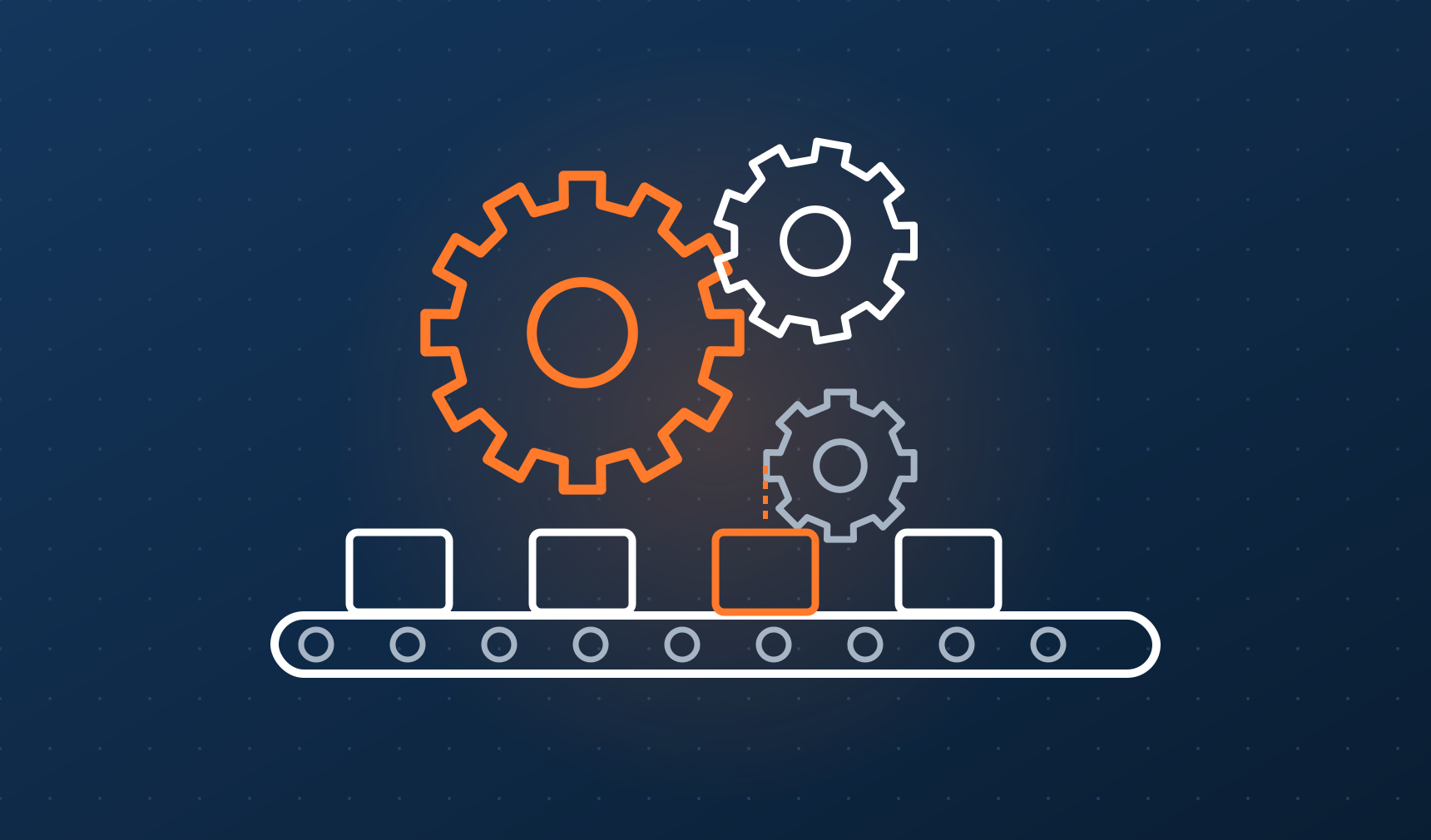
Tap water, bread at the shop, medicine at the pharmacy. Behind each of these is a plant or station that runs around the clock, often with only a few people on shift. Machines do the rest of the work: they measure, decide and act on their own. That is industrial automation. In this article we will look at what it is made of and why the modern world simply doesn’t work without it.
Automation means handing the routine part of a job over to a machine. Not the whole job, just the part that repeats: open a valve when the tank is full; stop the conveyor when a part gets stuck; keep the oven at exactly 180 °C.
Every automatic system does three things in a loop:
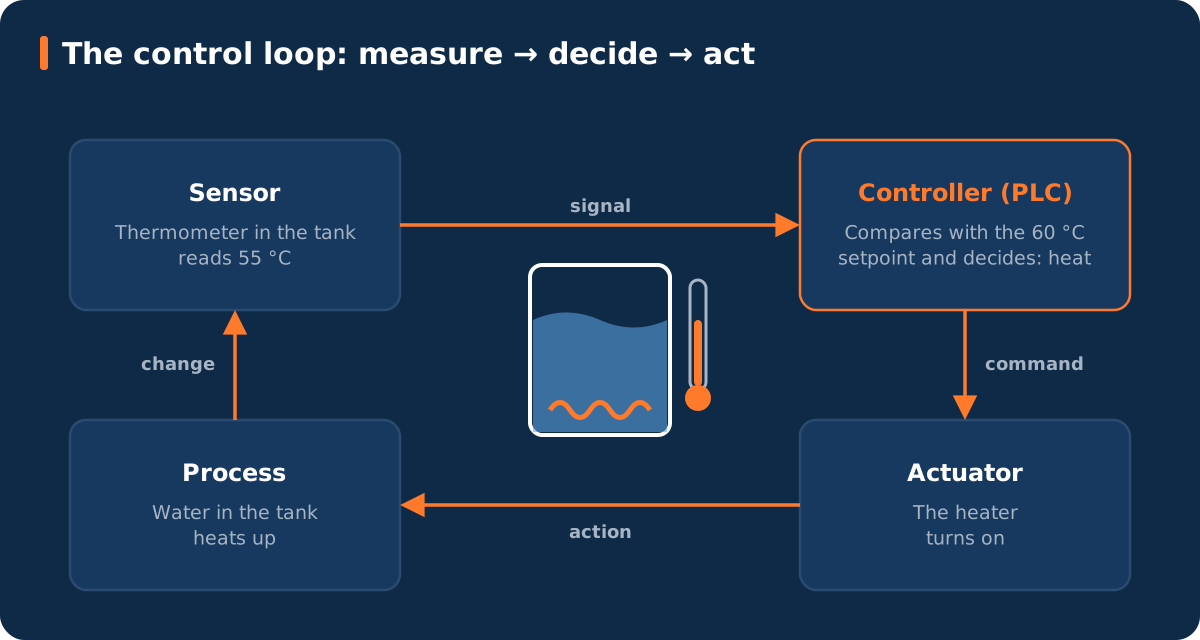
Take a tank of water that must stay at 60 °C. The sensor reads 55 °C and passes it to the controller. The controller compares the value with the desired one (called the setpoint) and decides it needs to heat. It turns on the heater, the water warms up, the sensor sees the new value, and the loop starts again. Engineers call this a closed control loop: the system sees the result of its own actions and corrects them.
Your water heater, your air conditioner and even an iron with a thermostat work on the same principle. A plant has thousands of such loops, all linked together.
These are the system’s “senses.” They turn a physical quantity into an electrical signal: temperature, pressure, level, flow, presence of a part, position, weight. The simplest sensor only says “yes/no” (part present or not); a more advanced one gives an exact number (pressure 4.73 bar).
These are the “muscles”: electric motors, valves, pneumatic cylinders, heaters, pumps. They receive a command and change something in the physical world. Motor speed is often controlled by variable frequency drives, so a pump spins exactly as fast as needed.
This is the “brain.” In industry it is most often a programmable logic controller, or PLC. From the outside it looks like a row of modules on a DIN rail inside an electrical cabinet. Inside is a specialized computer that endlessly repeats a simple cycle: read all inputs, run the program, write all outputs. One cycle takes a few milliseconds.
Why not an ordinary computer? Because a PLC is built to run for decades in dust, vibration and temperature swings, and to always respond within a predictable time. For a motor that must stop when a hand gets caught between rollers, “usually fast” is not good enough. It has to be “guaranteed fast.”
An HMI (human-machine interface) is the touch panel next to a machine, where the operator sees its state and presses buttons. SCADA is a system that collects data from many PLCs and shows a whole shop, or even a whole network of sites, on control room screens: alarms, trends, history.
All of this is connected. In the past, with a separate wire to every sensor; today, with industrial networks such as PROFINET, EtherNet/IP and Modbus TCP. For exchanging data between different systems and vendors, OPC UA is used more and more: a kind of common language that lets equipment from different brands report what is going on.
To keep all these levels straight, engineers draw a pyramid. It is described, among others, by the ISA-95 standard.
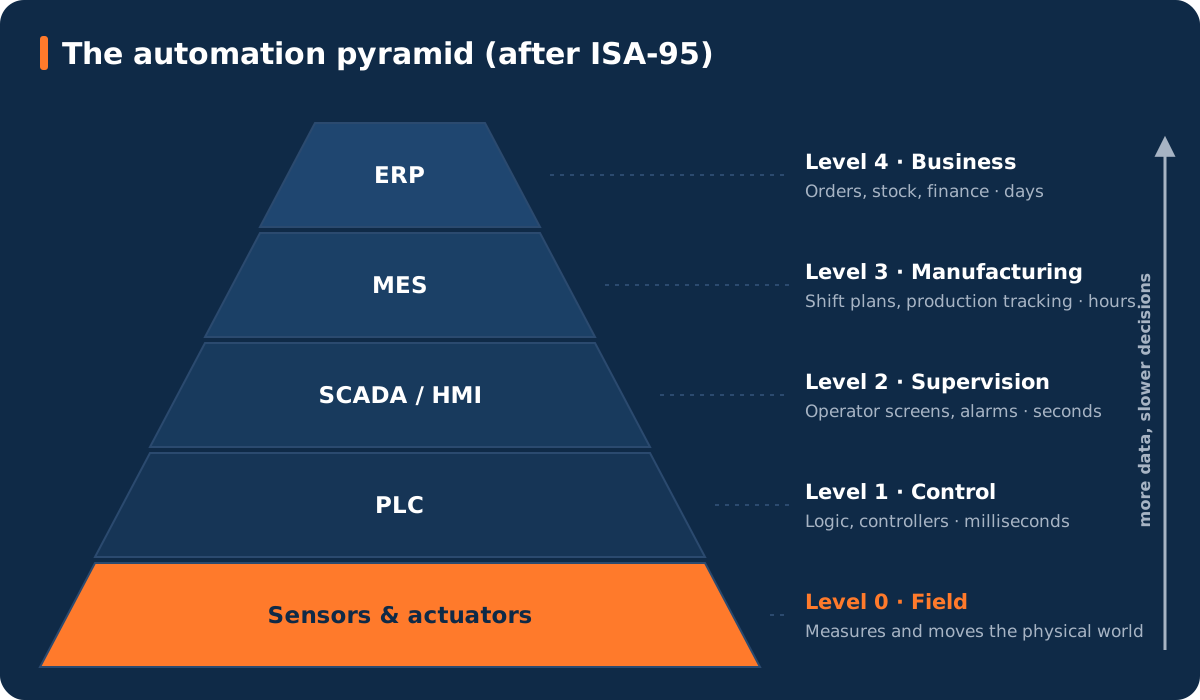
In reality the borders between levels are blurring: data from a sensor can reach cloud analytics within a second. But as a map for a beginner, the pyramid is still very useful.
PLC programming languages are defined by the international standard IEC 61131-3. The most common are:
Our tank example in ST would look roughly like this:
IF Temperature < Setpoint - 1.0 THEN
    Heater := TRUE;    // too cold: heat
ELSIF Temperature > Setpoint + 1.0 THEN
    Heater := FALSE;   // too hot: stop
END_IF;
The one-degree gap keeps the heater from clicking hundreds of times a minute around the setpoint. Real systems often use a PID controller instead of simple on/off, which adjusts the power smoothly. That is a topic for a separate article.
Automation is the foundation for the other topics on this blog: robotics, computer vision and artificial intelligence. In the next articles we will look at each part in more detail.
In just a few years, artificial intelligence has gone from a topic for research conferences to a tool people use every …
Your phone unlocks when it sees your face. A camera in a factory spots a scratch on a part in a fraction of a second, …